CanAI features
A tour of what CanAI can do in wp-admin and over MCP — templates, authoring stack, WooCommerce, media, backup, and updates.
Admin surfaces
| Surface | Where | What it does |
|---|---|---|
| Welcome | CanAI → Welcome | Orientation, AI setup CTA, role-based prompts |
| All Templates | CanAI → All Templates | CPT wpcanai_template list |
| AI Client | CanAI → AI Client | MCP endpoint, API keys, skills, guardrails, tools |
| Settings | CanAI → Settings | Plugin options |
| Tools hub | CanAI → Tools | Links to Editor, Sideloader, Export/Import, Presets, Diagnostics |
| Editor | Tools → Editor (or Edit with CanAI) | Twig HTML/CSS/JS authoring for pages & templates |
| Image Sideloader | Tools → Image Sideloader | Pull remote images into the media library |
| Export / Import | Tools → Export / Import | JSON backup and restore |
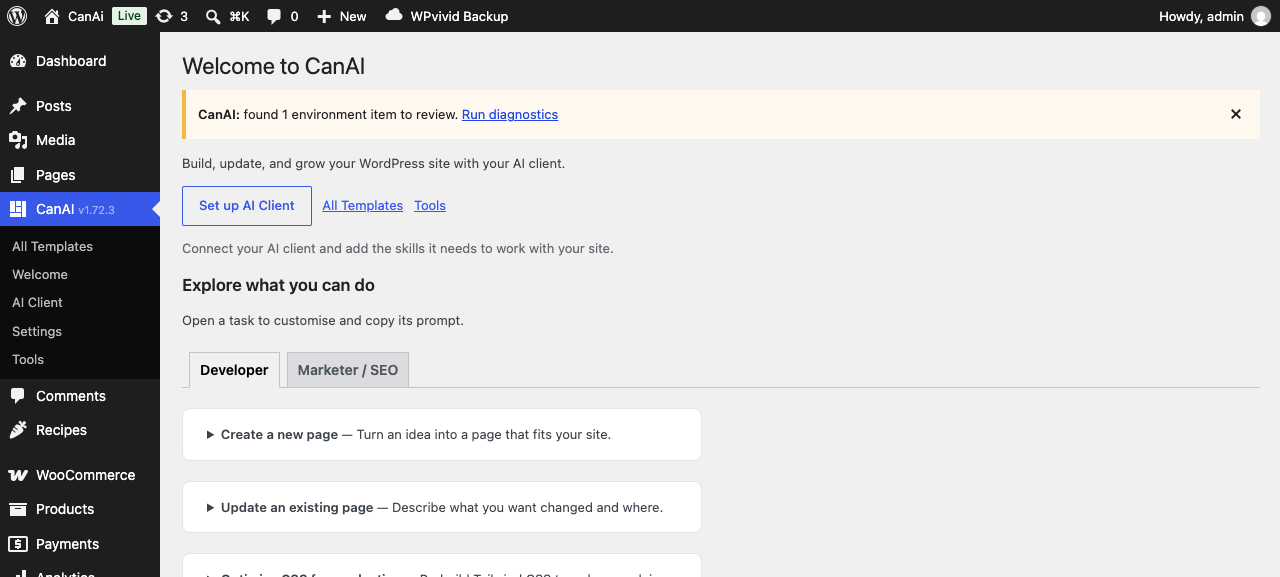
Welcome screen.
Templates
Reusable templates live in the Templates CPT. Each can have one or more template types (taxonomy) that decide when CanAI resolves them on the front end.
Common types:
- layout / header / footer / component — composition pieces
- Archives: category, tag, author, search, 404, archive
- Singles: single-post
- WooCommerce: shop, product, product-category, product-loop, cart, checkout, my-account, order-received, and account endpoints (orders, downloads, payment methods, …)
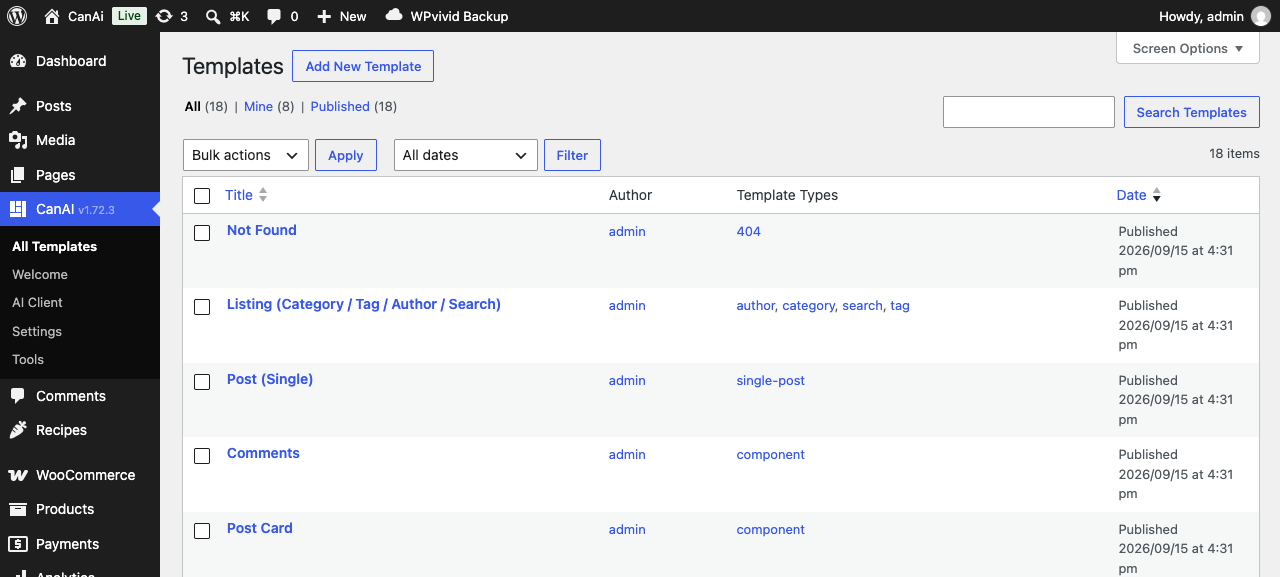
All Templates — filter by type, open in the editor.
Pages and products can also store CanAI markup directly (_canai_html / _canai_css / _canai_js) and optionally wrap in a layout template.
Authoring stack
- Twig — server-rendered templates with WordPress-aware helpers and context (post, archive, WooCommerce, …).
- Tailwind CSS — utility classes compiled/cached per post (
_canai_tailwind_*meta). Bundled runtime assets; no CDN required by default. - Alpine.js — lightweight interactivity on the front end.
- Lucide (and optional icon sets) — icons via
data-lucideattributes.
The CanAI Editor exposes HTML / CSS / JavaScript tabs, Structure / Format helpers, layout selection, Preview, and Save.
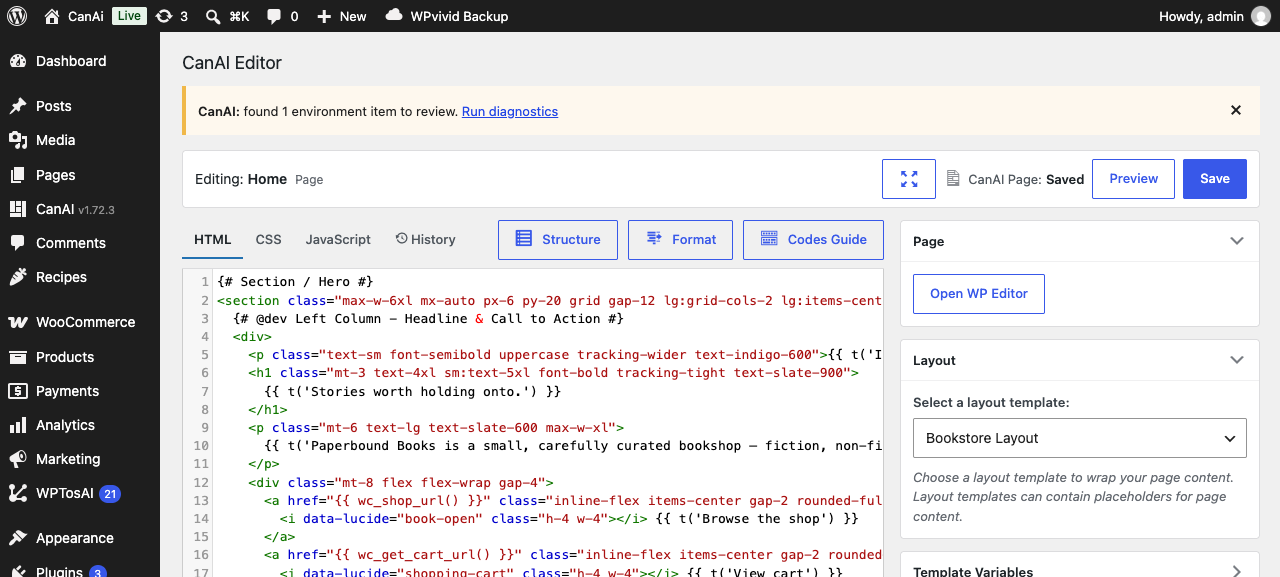
Editor editing a page with Twig placeholders and Tailwind classes.
Block-authored content (MCP)
Agents can also write block editor posts and pages (wpcanai/write-post, wpcanai/write-page) as structured block lists serialized through WordPress core — useful when you want the classic block editor instead of Twig. Converting between Twig and blocks is an MCP-oriented operation.
MCP / AI agents
CanAI ships a Model Context Protocol server at:
/wp-json/mcp/wpcanai
Anything you can do in the CanAI admin should be doable as a first-class wpcanai/* ability — not via eval. Typical abilities include writing meta/templates, pages, posts, options, sideloading URLs, and more.
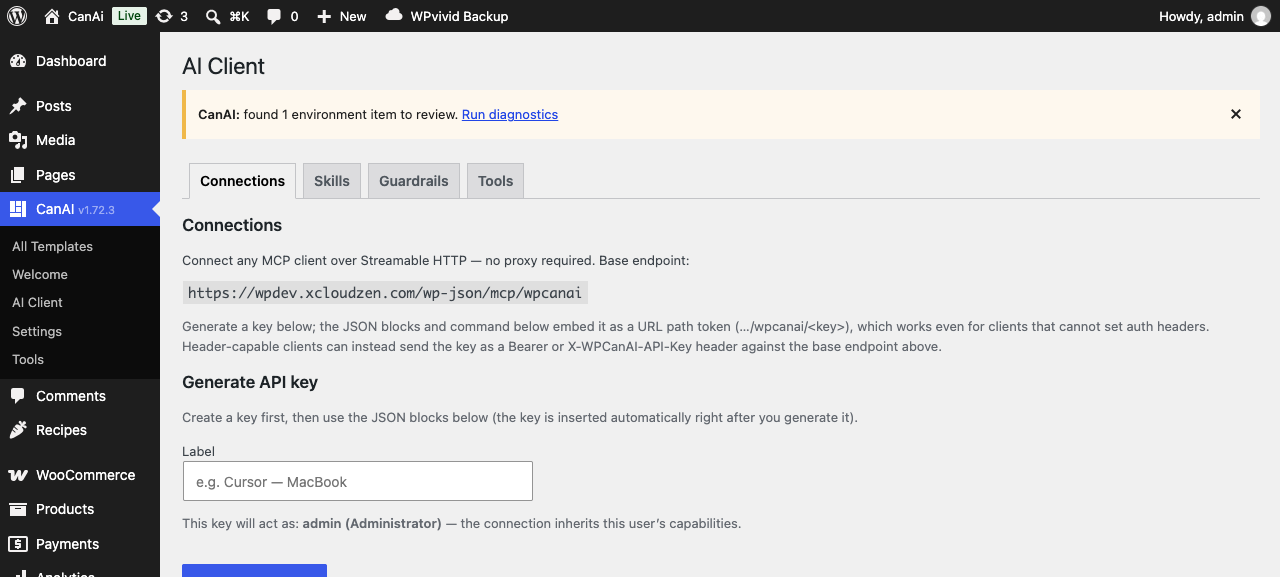
AI Client → Connections — generate a key and paste client config.
Auth options for the key: URL path token, Authorization: Bearer, or X-WPCanAI-API-Key.
Published skills (install with npx skills add usewp/canai) teach agents the recommended workflows.
WooCommerce
When WooCommerce is active, CanAI resolves dedicated template types for shop, product, cart, checkout, my-account, thank-you, and related endpoints. Template context includes cart/customer-aware data for Twig authors. Use layout templates to keep header/footer shared across shop screens.
Image sideload
Pull a remote image URL into the Media Library from Tools → Image Sideloader, or from MCP via wpcanai/sideload-url (server-side fetch — no binary upload required for URL sources).
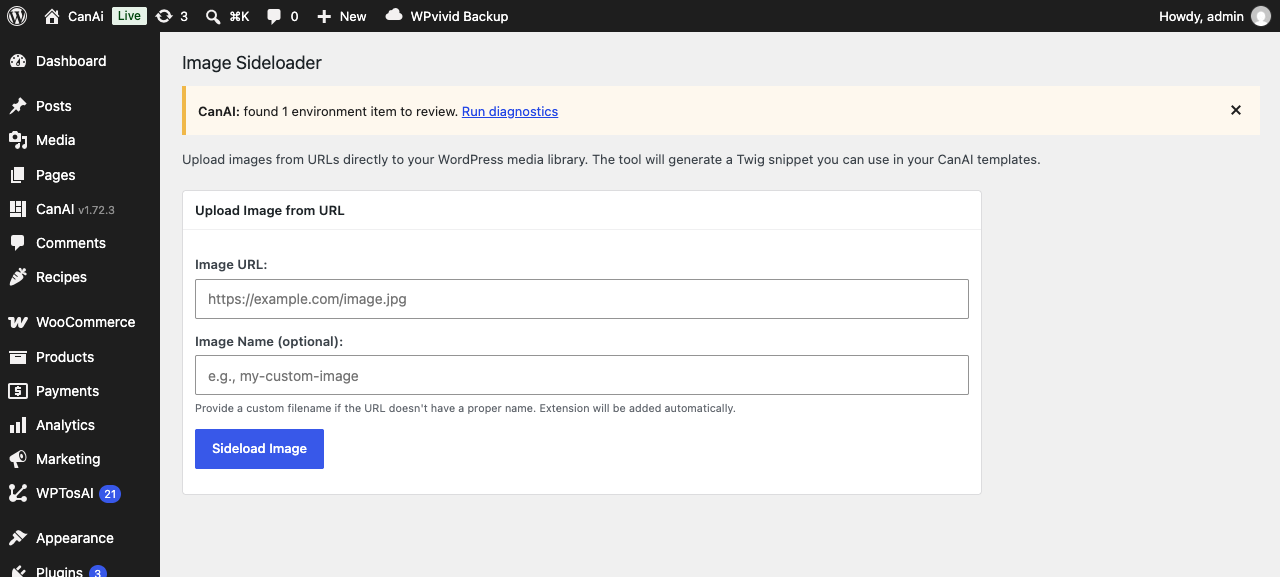
Image Sideloader.
Export / Import & snapshots
Download a portable JSON backup of CanAI templates, CanAI-enabled pages, and options. Import merges into the target site (templates matched by slug). Use this to move a site design between environments.
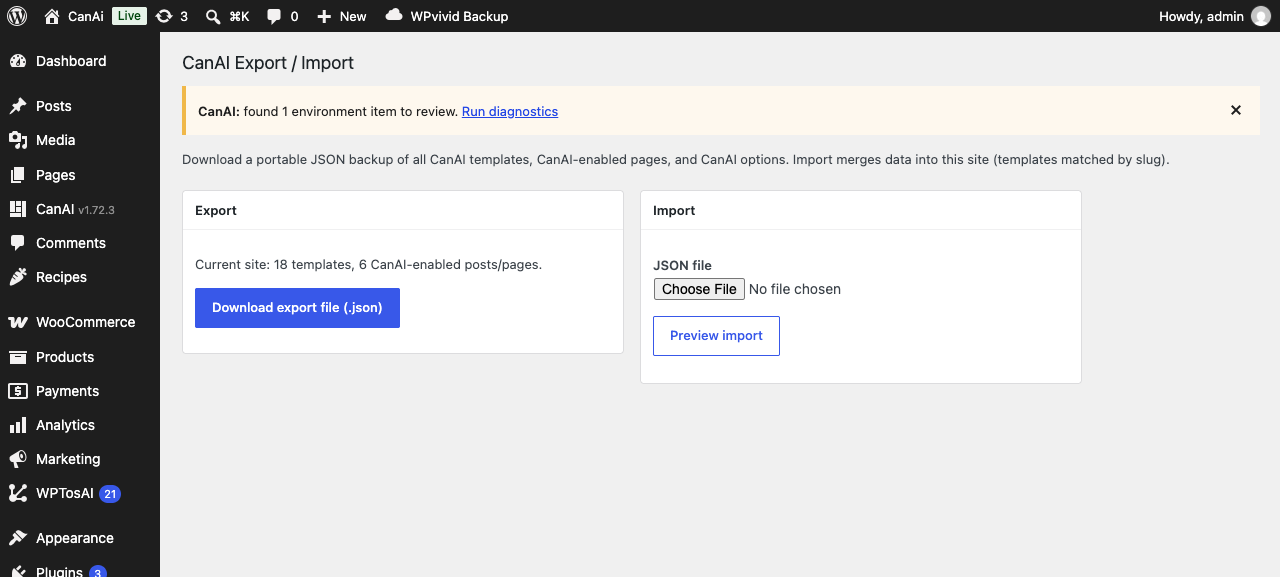
Export / Import.
Multilingual
With Polylang (and related bridges), CanAI can resolve translated templates/pages and support content overrides. See Settings / Translations tooling in the admin when those plugins are present.
Updates
Self-hosted installs check https://wpmanage.web.app/wpcanai/info.json for the latest version and download_url. WordPress shows the normal plugin update UI when a newer release is available. The Download button on this guide’s home page uses the same JSON.
Front-end result
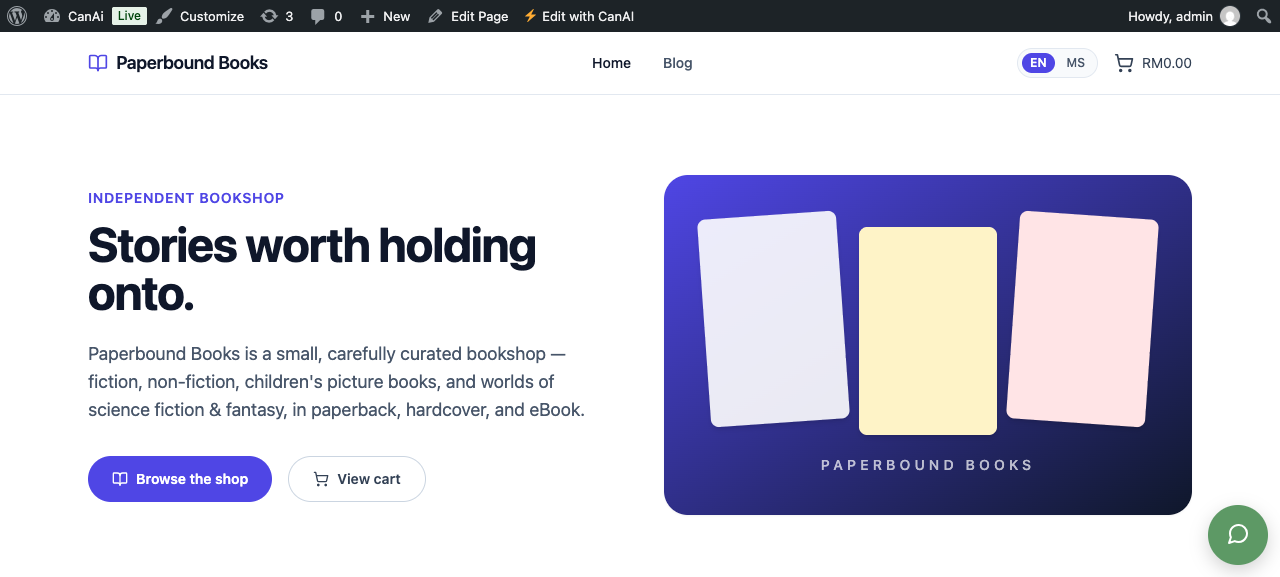
A CanAI-rendered storefront page.
Related
- Easy onboarding — install and first page in minutes
- Plugin homepage: wpcanai.web.app